|
relationships computing |

|

|

|
|
relationships computing |
|
|
|
To compute these relationship statistics you need a WordList Index.
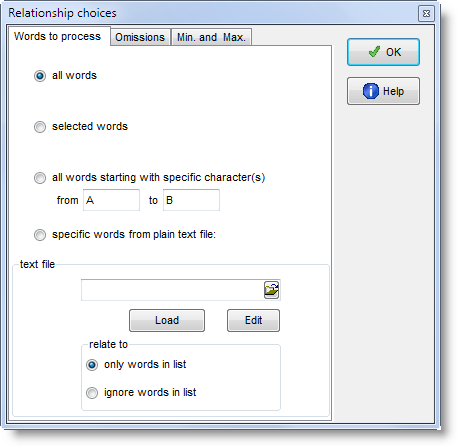
When you press If you wish to select only a few items for MI calculation, you can mark them first (with
Alternatively you may choose to use only items from a plain text file constructed using the same syntax as a match-list file., or to use all items except ones from your plain text file.
|
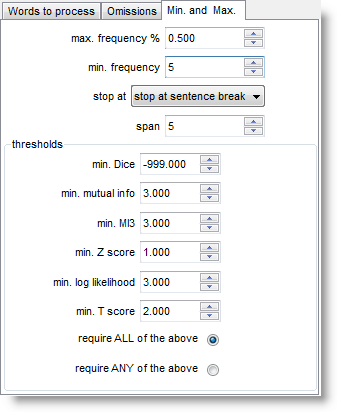
Set the maximum frequency, for example, to 0.5% to cut out words whose frequency is greater than that; a minimum frequency of 5 means that no word of frequency 4 or less in the index will be visible in the relationship results. (Above 0.5% in the case of the BNC would mean ignoring about 20 of the top frequency words, such as WITH, HE, YOU. Above 0.1% would cut about 100 words including GET, BACK, BECAUSE.)
stop at allows you to ignore potential relationships e.g. across sentence boundaries. It has to do with whether breaks such as punctuation or sentence breaks determine that one word cannot be related to another span refers to the collocation horizon. A span of 5 means, for example, from the node word forward to R4 position, inclusive. The other minima can be adjusted for each type of statistic. |
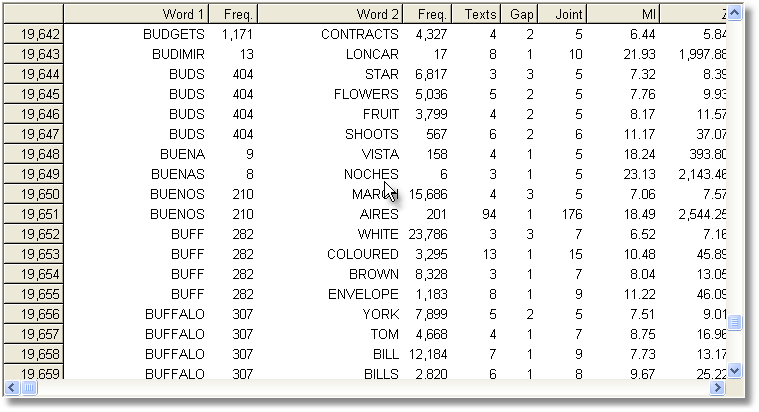
Computing the MI score for each and every entry in an index takes a long time: some years ago it took over an hour to compute MI for all words beginning with B in the case of the BNC World edition (written, 90 million words) in the screenshot below, using default settings. It might take 24 hours to process the whole BNC, 100 million words, even on a modern powerful PC. Don't forget to save your results afterwards!
See also Collocates, Mutual Information Settings, Mutual Information Display, Detailed Consistency Relations, Making an Index List, Viewing Index Lists, Recompute Token Count, WordList Help Contents.
Page url: http://www.lexically.net/downloads/version5/HTML/?proc_mutual_information_comput.htm


 , you can choose whether to compute the statistics for all entries, or only any selected (highlighted) entries, or only those between two initial characters e.g. between A and D, or indeed to use your own specified words only.
  ). Or you can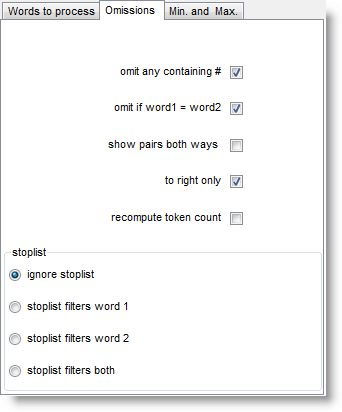
.png)
.png)